Saray Cumhuriyet Mahallesi Şehit Ali Aktaş Caddesi 23/D Pursaklar/Ankara
  +90 312 496 51 91
  info@aktifkonferans.com.tr


Conference Display Systems
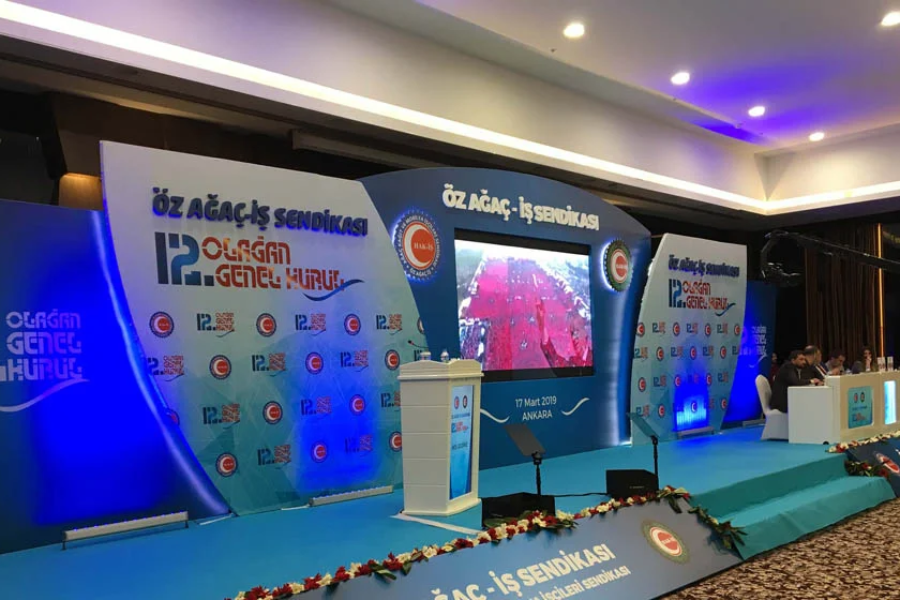
In a conference, one of the most important technical elements that powerfully conveys the information presented by the speaker to the participants is the visual system. Presentation slides, graphs, tables, video content, speaker images, sponsor logos, and program announcements can all weaken the impact of the event if not supported by the right visual infrastructure.
Conference visual systems are not simply about placing a screen in the hall. The distance of the participants from the screen, the lighting of the hall, the quality of the presentation content, the number of speakers, camera usage, the need for simultaneous translation, and the program flow must all be considered together. When the visual system is properly planned, participants follow the presentation more easily, speakers appear more professional on stage, and a more controlled technical structure is created throughout the organization.
The visual infrastructure used in conferences can consist of many components such as LED screens, projection systems, video mixers, presentation computers, live cameras, stage monitors, control desks, cabling, and signal infrastructure. Even if each of these components is of high quality individually, the system as a whole must function correctly. Otherwise, the presentation image may appear on the screen late, the video and sound may not work, the speaker monitor may not display an image, or the live camera image may be transmitted with a delay.
Therefore, conference display systems should not be considered simply as technical support to be installed just before the event, but as one of the fundamental infrastructure elements that must be considered from the very beginning of the organizational plan.
What is the Main Role of a Display System in Conferences?
The primary role of a display system in conferences is to make information visible and understandable. While speeches delivered on stage may be important, many presentations are supported by visual materials. Graphs, tables, product images, research results, video examples, and speaker notes help participants better understand the subject.
If the display system is inadequate, participants may miss important parts of the presentation. Those sitting in the back rows, in particular, may have difficulty reading small print. If the lighting in the hall is excessive, the projected image may appear dim. If the screen is incorrectly positioned, some participants may have difficulty seeing the content.
A well-planned conference display system meets the following needs:
- Ensures that presentations can be easily viewed by the entire hall.
- Transmits video and graphic content in the correct format.
- Provides a live view of the speaker to the back rows.
- Smoothes presentation transitions in the program flow.
- Increases the visibility of sponsor and brand content.
- The control room works in conjunction with the camera, sound, and lighting systems.
Therefore, the display system is one of the technical backbones that directly affects the quality of information transfer at the conference.
How to Determine the Conference Hall Display System?
Not every conference hall works efficiently with the same display system. The size of the hall, ceiling height, seating arrangement, stage location, light level, and viewing distance directly affect the type of screen to be used.
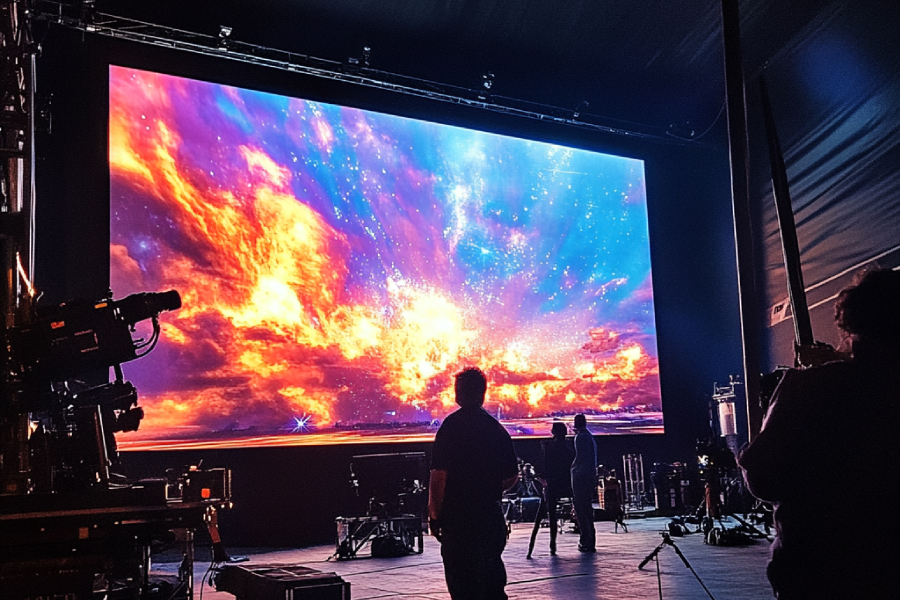
In a small meeting room with controlled lighting, a projection system may suffice. However, in a large hall with high ceilings or strong lighting, an LED screen may be a more appropriate choice. In some large conferences, it may be necessary to use support screens in addition to the main screen.
The horizontal width of the hall is also important. If participants are looking at the screen from very diagonal angles, a single central screen may not be sufficient. In this case, additional screens can be placed on either side of the stage to ensure balanced viewing.
Screen visibility may be limited in halls with columns or balconies. During the technical assessment, screen visibility should be checked from every section where participants will be seated. The display system should be planned not only according to the participants in the front row, but also according to the entire hall.
LED Screen or Projector?
One of the most frequently asked questions about conference display systems is whether to use an LED screen or a projection system. This decision shouldn't be based solely on budget. The lighting conditions of the hall, the type of content, and the distance between participants should be considered.
Projection systems can be an effective solution in enclosed halls where lighting can be controlled. They can be used for presentations, videos, and visual content. However, the image may become dull when the ambient light is too bright. The distance between the projector and the screen, the ceiling structure, and the installation angle should also be considered.
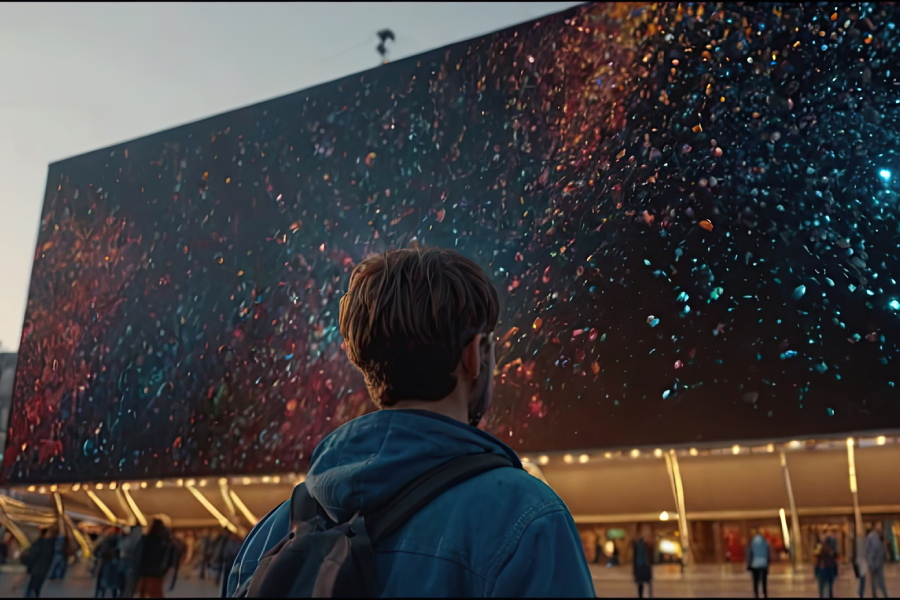
LED screens provide a powerful viewing experience because they offer higher brightness and contrast. They can create a more professional look, especially in large conferences, halls where the lights cannot be completely turned off, or events with a corporate launch atmosphere. Thanks to the modular structure of LED screens, installations of different sizes can be made.
However, pixel pitch is important when choosing an LED screen. If participants are sitting close to the screen, screens with a lower pixel pitch should be preferred. Otherwise, the image may appear pixelated from close up.
In some organizations, an LED screen may be used in the main hall, while projection systems may be used in side halls or workshop areas. The important thing is to evaluate the display technology separately according to the needs of each area.
Presentation Management Determines the Flow of the Conference
In conferences, the display system is not just about hardware. How presentation files are managed directly affects the flow of the event.
In conferences with multiple speakers, each speaker connecting their own computer to the stage can create time loss and technical risks. Different operating systems, adapter problems, resolution incompatibilities, and file opening problems can disrupt the flow of the event.
In a more professional approach, presentation files are collected before the event, checked by the technical team, and managed from a central presentation computer. This allows for faster and safer image transitions during speaker changes.
Points to consider in presentation management include:
- File formats should be checked before the event.
- Video presentations should be tested on the actual system.
- Files using special fonts should be reviewed beforehand.
- Presentation order should be arranged according to the program flow.
- A backup computer and backup files should be kept ready.
- Speaker names and session titles should be written correctly.
Without these preparations, unnecessary interruptions may occur during the conference, even if the video system is working.
When is Live Camera Use Necessary?
In large conferences, it may not be possible for all participants to clearly see the speaker on stage. Especially those sitting in the back rows may not be able to easily follow the speaker's facial expressions, movements on stage, or speaker transitions in panel sessions.
In this case, a live camera system comes into play. A close-up image of the speaker can be projected onto the LED screen or support screens. Switching between different speakers can be done during panel sessions. During the Q&A section, the participant asking the question can be displayed on the screen.
Live camera use is important not only for enlarging the image but also for enhancing the professional perception of the conference. Especially in international congresses, large corporate meetings, and hybrid events, camera infrastructure becomes a crucial part of the video system.
However, camera use should not be done without planning. Camera positions, stage lighting, screen resolution, and control room management should be planned together. If the LED screen behind the speaker is too bright, the face may appear dark in the camera image. Lighting, screen, and camera settings need to be adjusted together.
How Does the Control Room System Manage the Video Flow?
In conferences, the visual flow is often not limited to a single source. The presentation computer, live camera, video player, sponsor visuals, waiting screen, online connection, or recording system may all be managed simultaneously.
The control room system is the structure that enables controlled switching between these sources. The control room determines when and which image will be displayed on screen. When a speaker takes the stage, the presentation screen opens; when a video starts, the audio and video sources are switched; and during the Q&A session, the camera view is switched.
In conferences without a control room, image transitions may appear more amateurish. Problems such as opening the wrong file, blackouts, delayed transitions, or the appearance of a technical desk image on screen can occur.
For professional control room management, the program flow must be shared with the technical team in advance. It must be clear which speaker will take the stage when, which video will play when, and which camera will be used in which section.
Speaker Monitor and Stage Screen
In conferences, what the speaker sees on stage is just as important as what the participants see on the main screen. If the speaker constantly has to turn to the screen behind them, the flow of the presentation may be weakened.
Therefore, a monitor facing the speaker or a confidence monitor can be used on the stage. This screen helps the speaker follow the presentation slides, timer, or speaking notes.
In panel sessions, a moderator screen can also be used. The moderator can track the session duration, speaker order, or question titles via this screen.
The position of stage monitors should not obstruct the view of the participants and should be suitable for the speaker's natural viewing angle. Monitors placed too low or too high can negatively affect the speaker's posture on stage.
Although this detail may seem small, it significantly improves speaker comfort and the flow of the presentation in professional conferences.
Video Content and Audio Integration
Video playback is a common practice in conferences. Promotional films, training videos, product demonstrations, speaker introductions, or sponsorship videos may be included in the program.
Video content should work integrated not only with the video system but also with the audio system. If the sound doesn't reach the audience while the video is playing on the screen, the participant experience is disrupted. Conversely, if the video sound is too loud or too quiet, the program flow can become disruptive.
There are important points to consider with video content. File format, resolution, sound level, subtitles, aspect ratio, and playback device should be tested before the event.
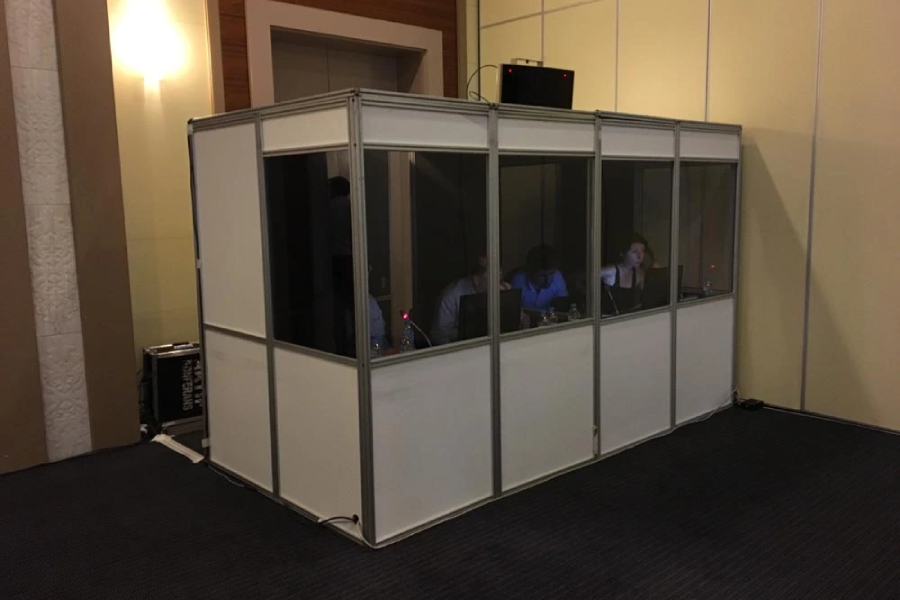
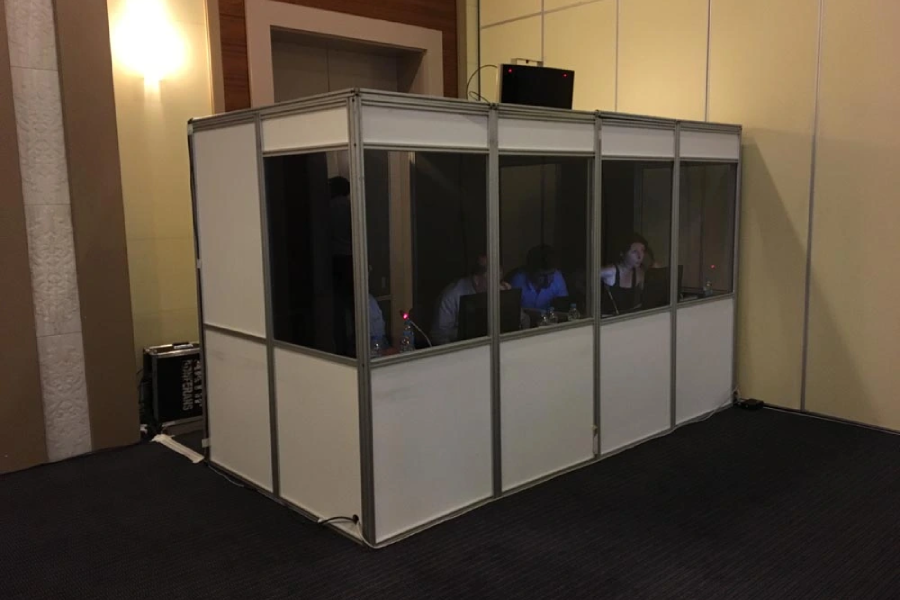
Especially if the video is to be shown in a foreign language, the subtitles must be readable on the screen. Small subtitles may not be legible from the back rows in a large hall. In conferences using simultaneous translation, the video sound may also need to be sent to the translation booth.
In Hybrid Conferences, the Display System Becomes More Complex
In hybrid conferences, both participants in the hall and online viewers follow the same event. This structure makes the display system more comprehensive than a classic hall setup.
The presentation shown in the hall needs to be transferred to the online broadcast as well. The speaker's camera, presentation screen, panel image, and speakers connecting remotely must be managed within the same broadcast stream.
One of the main problems that can occur in hybrid events is that the image working in the hall does not appear correctly on the online side. For example, while the presentation is displayed on the LED screen in the hall, the online audience may only see the speaker's camera. Or, the speaker's image may be transmitted to the hall while their sound is not properly routed.
Therefore, in hybrid conferences, the video system, broadcast system, and sound system should be planned together. The control room should be able to manage both the image to be displayed in the hall and the image to be broadcast online separately.
Display Systems for Sponsor and Brand Visibility
In conferences, sponsors, corporate logos, and event branding can be made visible through display systems. However, this use should be balanced.
Sponsor logos can be displayed on the welcome screen before the program begins. Supporting brands can be displayed between sessions. When a speaker takes the stage, their name, title, and corporate information can be displayed on the screen.
This content strengthens the corporate image of the conference. However, constantly filling the screen with sponsor logos or using excessive brand placement that obstructs the speaker's presentation is not appropriate.
Screen content should be prepared in accordance with the visual identity of the event. Logo sizes, colors, transition times, and backgrounds should look professional. The display system should increase brand visibility without overshadowing the main content of the conference.
Technical Rehearsal is Mandatory for Conference Video Systems
Technical rehearsal is one of the most important stages to be completed before the event begins for conference video systems. Simply turning on the screen is not enough; all content must be tested against the actual flow.
During the rehearsal, presentation files should be opened, videos played, camera images tested, and control room transitions checked. Speaker monitors, stage screens, support screens, and recording systems should all be tested together.
Technical rehearsal helps identify the following problems in advance:
- The presentation resolution may not match the screen.
- Video sound may not reach the hall.
- Camera image may be delayed.
- Color or brightness problems may be visible on the screen.
- Speaker monitors may display incorrect images.
- The image broadcast online may differ from the one in the hall.
- Sponsor visuals may be low resolution.
Starting the event without performing these checks can lead to technical interruptions during the program.
Common Errors in Conference Display Systems
Some errors made during the setup of a conference display system are immediately noticeable during the event. These errors often stem from a lack of planning, not from insufficient equipment.
One of the most common mistakes is choosing a screen size too small for the hall. If the presentation isn't being read in the back rows, the screen's presence serves no purpose. Another mistake is bringing presentations at the last minute on the day of the event. Problems such as files not opening, font corruption, or video not working are frequently encountered in this case.
In halls where projectors are used, failure to control lighting results in a dull image. In events using LED screens, if the pixel pitch and brightness are not chosen correctly, close viewing comfort or camera image quality may be negatively affected.
In conferences using live cameras, if the stage lighting is not planned, the speaker's face may remain dark. Without a control room system, image transitions may appear amateurish.
Most of these errors can be prevented with technical assessment, content review, and rehearsal.
What Information is Needed for a Conference Display System Proposal?
To prepare an accurate conference display system plan, certain information about the event needs to be clarified. The number of attendees and date alone are not sufficient to determine technical requirements.
The following information should be shared before submitting a proposal:
- The venue or hall where the conference will be held
- Number of participants and seating arrangement
- Stage size and screen location
- Number of speakers
- Presentation, video, or live camera requirements
- Whether LED screen or projector is desired
- Online broadcasting or recording requirements
- Sponsor content and visual flow
- Simultaneous translation or multilingual content requirements
- Time allocated for setup and technical rehearsal
Based on this information, the screen type, screen size, image processor, number of cameras, control room system, technical personnel, and setup plan can be prepared more accurately.
Professional Conference Display Systems with Aktif Conference
Aktif Conference offers professional display system solutions for congresses, conferences, panels, seminars, corporate meetings, and launch events.
By evaluating the event area and program flow, needs such as LED screens, projectors, live cameras, control rooms, image processors, presentation management, and stage monitors are planned. The most suitable display infrastructure is created according to the size of the hall, viewing distance, and type of content.
Before setup, a connection plan is prepared, presentation and video content are tested, screen settings are adjusted, and the technical rehearsal process is managed. Throughout the event, the technical team monitors the video stream and intervenes in any problems that may arise.
Depending on the needs, the video system can be planned together with the sound system, simultaneous translation, LED screen, stage decor, and lighting systems. This holistic approach contributes to a more organized and professional technical progress of the conference.
Conferences Where Information is Clearly Visible Are More Effective
Success in conferences doesn't depend solely on the speakers' knowledge or the program's content. How this content is conveyed to the participants is just as important as the content itself. Video systems make the information presented by the speaker visible and facilitate the participants' focus on the program.
Thanks to the right screen selection, professional presentation management, live camera support, stage control, and technical rehearsal, conferences become more fluid, understandable, and effective.
When conference video systems are planned correctly, participants not only listen to the speech; they see the presentations clearly, follow the videos without problems, watch the speakers more closely, and perceive the entire event as a more professional experience.