Saray Cumhuriyet Mahallesi Şehit Ali Aktaş Caddesi 23/D Pursaklar/Ankara
  +90 312 496 51 91
  info@aktifkonferans.com.tr


LED Screen Technical Specifications
When renting or buying an LED screen, simply looking at the screen's size isn't enough for an accurate assessment. Two LED screens of the same size can have significant differences in image quality, brightness, resolution, camera performance, and outdoor durability. The fundamental factors creating these differences are the screen's technical specifications.
LED screen technical specifications include many different criteria such as pixel pitch, brightness, refresh rate, resolution, viewing angle, color depth, refresh rate, IP protection class, panel structure, and image processor. However, none of these values should be evaluated in isolation. The event venue, the viewing distance, the content to be broadcast, and the camera systems to be used directly influence the technical choice.
For example, a high-brightness screen offers advantages at outdoor events but may be unnecessarily bright in an indoor convention hall. A very small pixel pitch offers high image quality for close viewing but may create unnecessary costs for concert screens viewed from a distance.
Therefore, the correct LED screen selection should be made by matching the technical data with the event's needs.
What is Pixel Pitch?
Pixel pitch is one of the most frequently encountered technical terms in LED screens. This value, referred to as "pixel pitch" in English, expresses the distance between the centers of two pixels on the screen and is usually specified in millimeters.
Expressions like P2, P2.6, P3.9, P4.8, or P6 indicate the screen's pixel pitch. As the number decreases, the pixels are closer together, and the image becomes more detailed. As the number increases, the distance between pixels increases.
This doesn't mean that a smaller pixel pitch is always the right choice. The pixel pitch should be determined according to the viewing distance.
A smaller pixel pitch might be preferred for a conference or launch event screen viewed from close up. Since attendees will be sitting a few meters away from the screen, text, graphics, and presentation details need to be clearly visible.
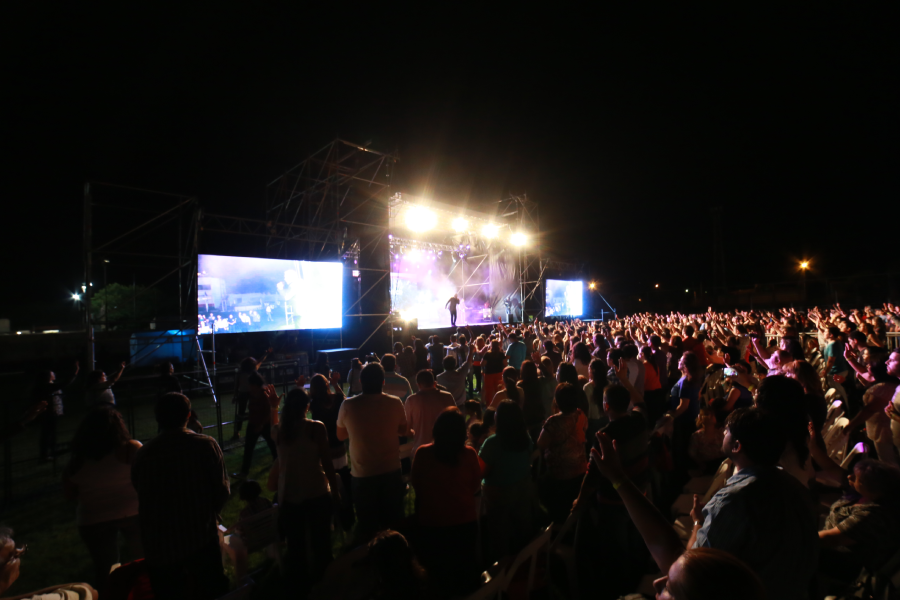
In outdoor concerts, however, the audience watches the screen from a greater distance. Therefore, outdoor screens with a wider pixel pitch can provide sufficient image quality.
Why is pixel pitch important? Pixel pitch directly affects the following factors:
- Image quality at close range
- Readability of text and graphics
- Overall screen resolution
- Pixelated appearance in the image
- Rental or purchase cost
When determining the correct pixel pitch, the points where participants are closest and furthest from the screen should be considered together.
How to Calculate LED Screen Resolution?
LED screen resolution indicates how many pixels the screen consists of on the horizontal and vertical axes. Resolution is usually fixed on television or computer screens. In modular LED screens, however, the resolution varies according to the physical size of the screen and the pixel pitch.
For example, of two LED screens of the same physical size, the one with a smaller pixel pitch will have more pixels. This means higher resolution and a more detailed image.
However, a balance must be established between content resolution and screen resolution. A very high-resolution video cannot be displayed with all its details on a screen with a low pixel count. Similarly, a low-resolution logo may appear blurry when enlarged on a high-resolution LED screen.
Therefore, the following values need to be known before the event:
- The physical width and height of the screen
- The pixel pitch of the panel to be used
- The total pixel resolution of the screen
- The aspect ratio of the content
- The output resolution of the image processor
Problems such as tearing, gaps, or image distortion can be reduced if the content is prepared to match the actual screen resolution.
What Does Brightness Value Mean?
LED screen brightness is usually expressed in nits. As the nit value increases, the screen produces stronger light and becomes more visible in bright environments.
Indoor LED screens do not need very high brightness because they are used indoors. In environments such as convention halls, hotels, exhibition stands, or corporate meeting areas, a controlled brightness level is more suitable for viewer comfort.
Outdoor LED screens, on the other hand, should have higher brightness because they can be used in sunlight. When a low-brightness screen is used outdoors, images may become faded, and especially dark-colored content may not be sufficiently visible.
When choosing brightness, it is not enough to only distinguish between indoor and outdoor. The time of the event, the orientation of the screen relative to the sun, and ambient light should also be considered.
In events that start during the day and continue into the night, screen brightness may need to be readjusted throughout the program. High brightness, necessary during the day, may be uncomfortable for viewers' eyes or create imbalance in the camera image at night.
Why is Refresh Rate Important?
Refresh rate indicates how many times an LED screen refreshes the image in one second and is expressed in Hertz. This feature is especially important in events involving live camera shooting, video recording, and broadcasting.
Screens with insufficient refresh rates may appear normal to the naked eye; however, camera images may show lines, flickering, or dark bands. This can create serious quality problems in events such as concerts, conferences, live broadcasts, launches, and television shoots.
High refresh rate:
- Provides cleaner images in camera shots.
- Improves image fluidity in fast-moving situations.
- Reduces the risk of flickering and scan lines.
- Provides more professional results in live broadcasts.
Improves performance in slow-motion footage. If a professional camera will be used at the event, the refresh rate should definitely be evaluated with the technical team when selecting an LED screen. It may be necessary to establish harmony between the camera frame rate, shutter speed setting, and screen refresh rate.
How Does Refresh Rate Affect an LED Screen?
Refresh rate is a technical value that describes how the pixels on the LED modules are driven. The scan rate can be expressed with terms like 1/8 scan, 1/16 scan, or 1/32 scan.
The scan rate can affect screen brightness, energy consumption, camera performance, and image stability. However, this value alone is not a criterion that determines screen quality. LED type, driver integrated circuits, control boards, and software settings also affect the result.
From the user's perspective, what matters is the screen's performance under real-world conditions. Especially in events where camera shooting will be done, test images of the screen should be examined and checked via camera during technical rehearsals.
Color Depth and Grayscale
In LED screens, it is not enough for only the primary colors to appear vibrant. Details in dark areas, color transitions, and shadows must also be displayed correctly. At this point, color depth and grayscale performance become important.
In screens with low grayscale performance, dark scenes may lose detail. Black areas may appear as a single mass, banding may occur in color transitions, or human skin tones may not appear natural.
This is particularly noticeable in the following types of content:
- Cinematic promotional videos
- Corporate films with dark backgrounds
- Live camera footage
- Concert animations
- Product promotional videos
- Graphics with intense color gradients
High-quality LED screen systems can display colors more balanced at different brightness levels. However, screen calibration and image processor settings also directly affect this performance.
Color Temperature and White Balance
Color temperature determines whether the white color on the screen appears warmer or cooler. Incorrect color temperature settings can cause images to appear bluish, yellowish, or reddish.
In corporate events, it is important to display brand colors correctly. If a specific color tone in a company's logo appears different on the screen, brand integrity may be damaged.
In events using live cameras, harmony must be established between the screen's color temperature, stage lights, and camera white balance. Otherwise, a significant color difference may occur between the image on the stage and the image on the LED screen.
The following checks should be performed during technical rehearsal:
- Does the white color look natural?
- Are skin tones accurately reproduced?
- Are the brand colors close to the original design? Is there a color difference between different LED panels?
- Is there color shift in the camera image?
These checks are important for achieving professional images, especially at launches and corporate events.
How Does Contrast Ratio Affect Image Quality?
The contrast ratio refers to the difference between the brightest white and the darkest black that the screen can display. High contrast helps images appear deeper and more distinct.
On screens with low contrast, dark images can turn gray and details can be lost. Sufficient screen contrast becomes even more important at events with intense stage lighting.
The structure of the panel surface, the LED technology used, the black mask application, and ambient light can affect contrast performance. Darker surface panels can create a stronger black perception, especially at indoor events.
However, high contrast should not be evaluated solely based on technical catalog values. The screen should be tested in a real event environment, using the content that will be used.
Why Should Viewing Angle Be Considered?
Viewing angle indicates how far from the center of the screen image can be viewed. Not all participants may be sitting directly in front of the screen. In large halls, exhibition areas, or on screens next to a stage, some viewers may look at the screen from a diagonal angle.
When the viewing angle is insufficient, the screen may appear darker at the edges, its colors may be distorted, or it may have low contrast.
Therefore, when planning screen placement, only the viewing angle of the participants in the front row should not be considered. The views of those on the far right, far left, and back of the hall should also be evaluated.
If necessary, instead of a single large screen, an arrangement consisting of a main screen and support screens can be set up. This approach can yield more accurate results, especially in columned halls and large horizontal spaces.
Technical Differences Between Indoor and Outdoor LED Screens
Indoor and outdoor LED screens differ not only in terms of brightness. Depending on the usage environment, the panel structure, protection level, weight, cooling, and installation features may also vary.
General Features of Indoor LED Screens
Indoor screens are designed for use in enclosed halls. They generally offer pixel pitches suitable for closer viewing distances. Brightness level is controlled, and the panel structure can be more easily integrated into the stage design.
It can be preferred in congresses, conferences, launches, fairs, galas, and corporate meetings.
General Features of Outdoor LED Screens
Outdoor screens should be more durable against outdoor conditions. High brightness, outdoor protection, and a robust panel structure are prominent features.
They can be used in concerts, festivals, public events, sports organizations, and outdoor launches.
In outdoor screens, not only panel durability but also the support system, electrical connections, and precautions against weather conditions are important.
What is IP Protection Class?
The IP protection class indicates the level of resistance of electronic equipment to dust and water. The two digits following the IP designation indicate different protection levels.
The first digit indicates protection against solid objects and dust, and the second digit indicates protection against water. In outdoor LED screens, the front and back surface protection values of the panel may differ.
Screens with high IP protection can offer safer use in outdoor environments. However, this value does not mean that the screen can be used indefinitely in all weather conditions.
Issues such as heavy rainfall, strong winds, and electrical safety should also be considered. Weather monitoring and risk planning should be carried out for outdoor events.
Difference Between Panel, Cabinet, and Module
LED screens are modular systems. The entire screen is not produced as a single piece. Small components are assembled to create the desired image surface.
The LED module is the basic image component where the pixels are located. Multiple modules can be housed within a cabinet.
The cabinet is the main panel casing that houses the modules, power supplies, receiver boards, and connections.
Multiple cabinets are connected side-by-side and on top of each other to form the complete LED screen.
Proper alignment of the cabinets is important to prevent line or level differences on the screen surface. Rental screen cabinets used for quick installation usually have modular connection systems.
During installation, it is necessary to correctly connect the electrical and data connections as well as the physical alignment of the panels.
What Does an Image Processor Do?
The image processor converts the image coming from the computer, camera, video player, or control room system to the resolution and size of the LED screen.
This device doesn't just transfer the image to the screen. It can also perform operations such as scaling, cropping, transitions, multi-source management, and image positioning.
In professional events, the image processor can be used for the following purposes:
- Switching between the presentation computer and the video source
- Transferring live camera footage to the screen
- Scaling the image to the screen's specific dimensions
- Displaying multiple images on the same screen
- Preparing a backup image source
- Creating different areas on the screen
The image processor's capacity should be suitable for the screen's total resolution and the number of sources to be used.
Transforming Technical Specifications into Event Requirements
Understanding LED screen technical specifications isn't just about comparing product catalogs. These specifications determine how the image will look at the event, how comfortably attendees will follow the content, and how the system will perform with cameras and in outdoor conditions.
Pixel pitch affects close-up viewing quality, brightness affects peripheral visibility, refresh rate affects camera performance, IP rating affects outdoor durability, and image processor affects content management.
The right LED screen isn't the system with the highest overall rating; it's the system with the most suitable features for the event's area, viewing distance, content, and technical flow. Professional planning can avoid unnecessary costs and ensure a balanced, clear, and reliable image throughout the event.